This week we shipped more major new capabilities across the platform. Here's what's new.
NEW: Site Electrical Topology
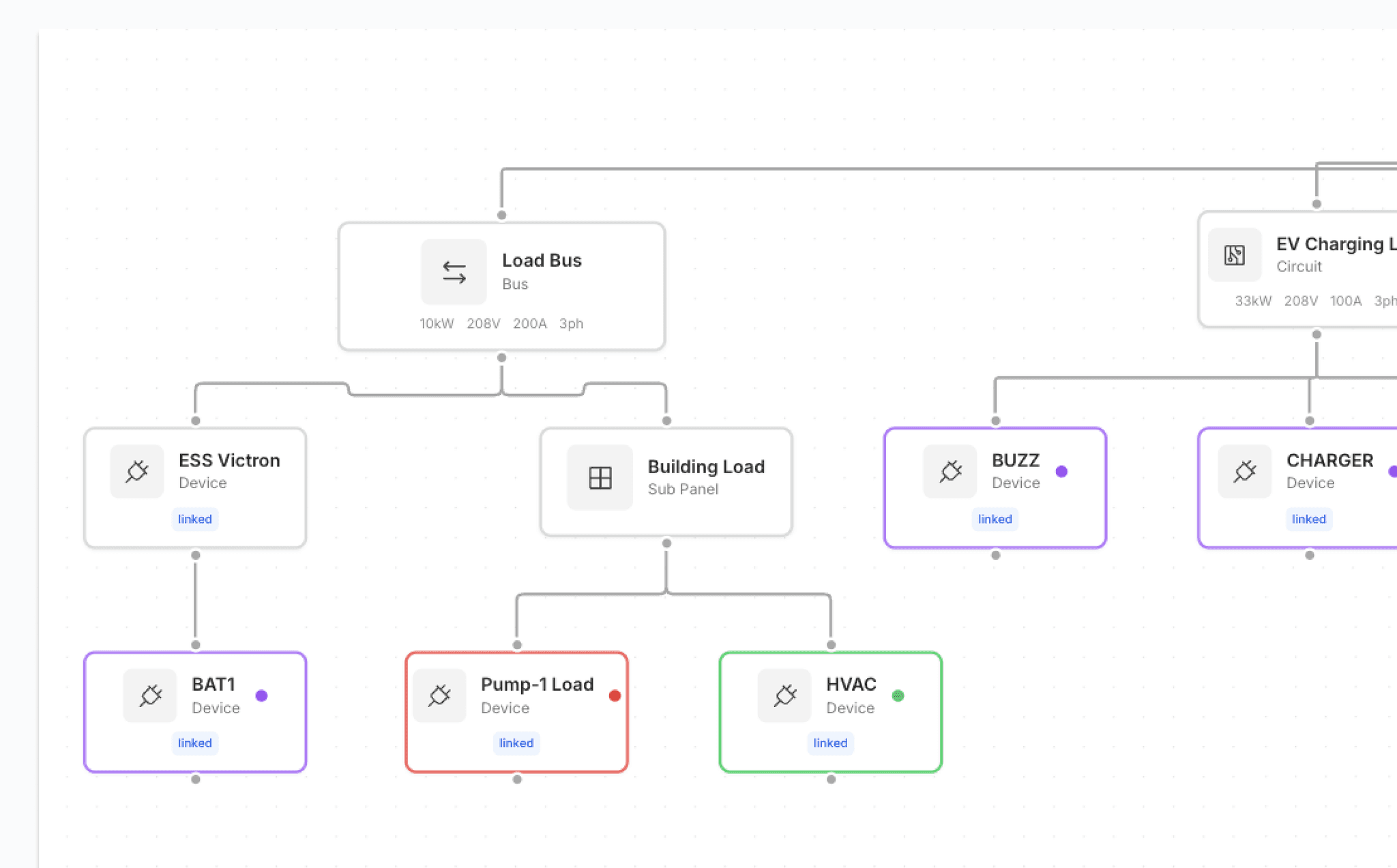
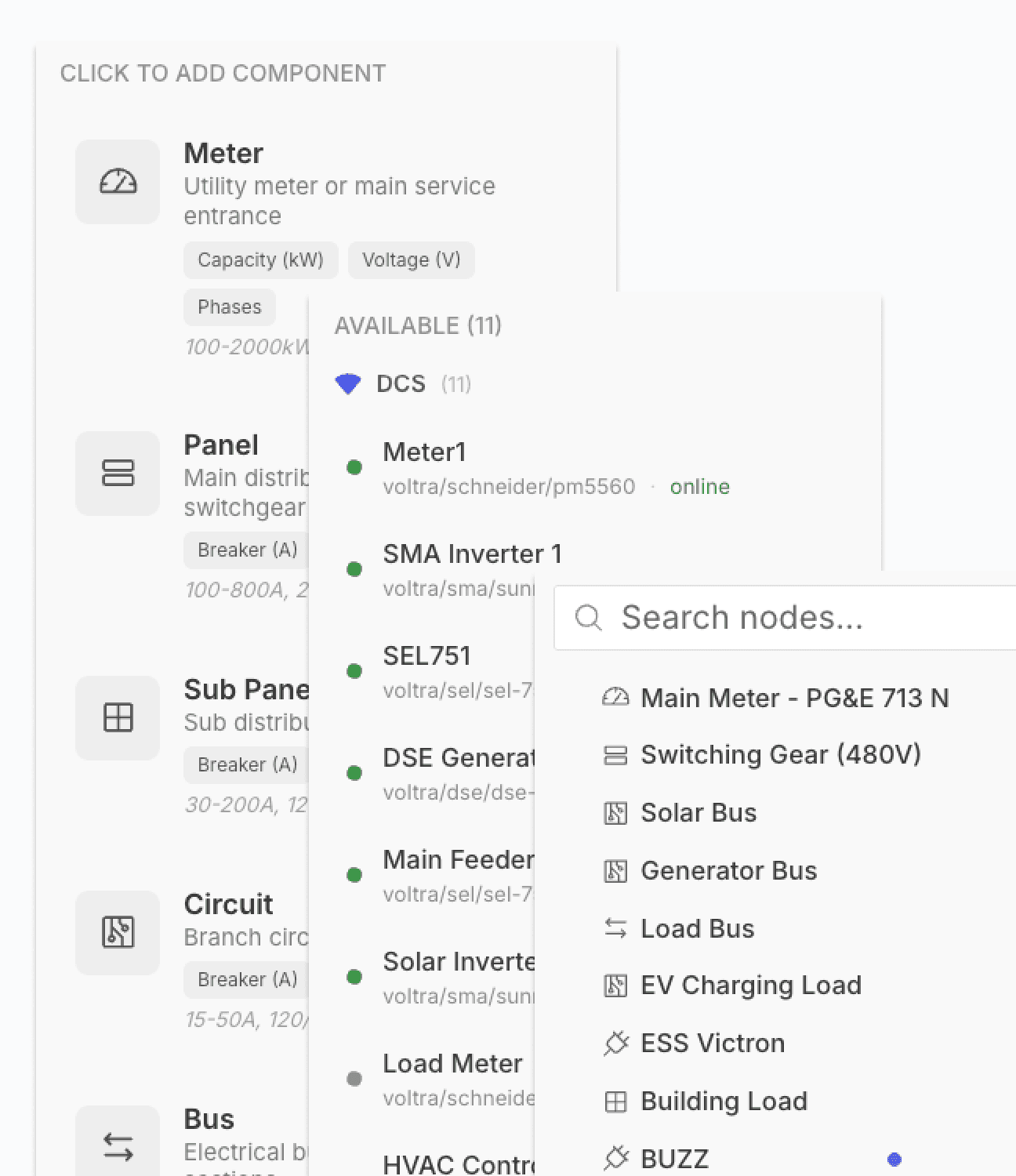
Understanding how your site is wired shouldn't require digging through commissioning docs or calling the installer who set it up three years ago. With our new electrical topology view, you can now see every device on your site — chargers, meters, panels, inverters, batteries — and how they're all connected, in one real-time diagram.
This is the foundation for smarter load management and site-level orchestration. When you can see the full picture — what's upstream, what's downstream, what's sharing a circuit — you can make better decisions about how power flows across your site. It also makes troubleshooting dramatically faster. Instead of guessing which breaker feeds which charger, you can see it.
Topology maps are auto-generated from your device configuration and update as you add or remove equipment. No manual diagramming required.
NEW: Realtime Pricing on Charger Screens
Chargers with displays now show live pricing updates, so drivers see the current rate before and during their session. Pricing reflects your configured tariff schedules, demand-based adjustments, or time-of-use rates in real time — no stale numbers.
This matters for operators running dynamic or time-of-use pricing. Drivers know exactly what they're paying, which reduces disputes and builds trust. And because the pricing is pulled directly from your Voltra configuration, there's no manual screen management — update your tariff once and every charger reflects it.
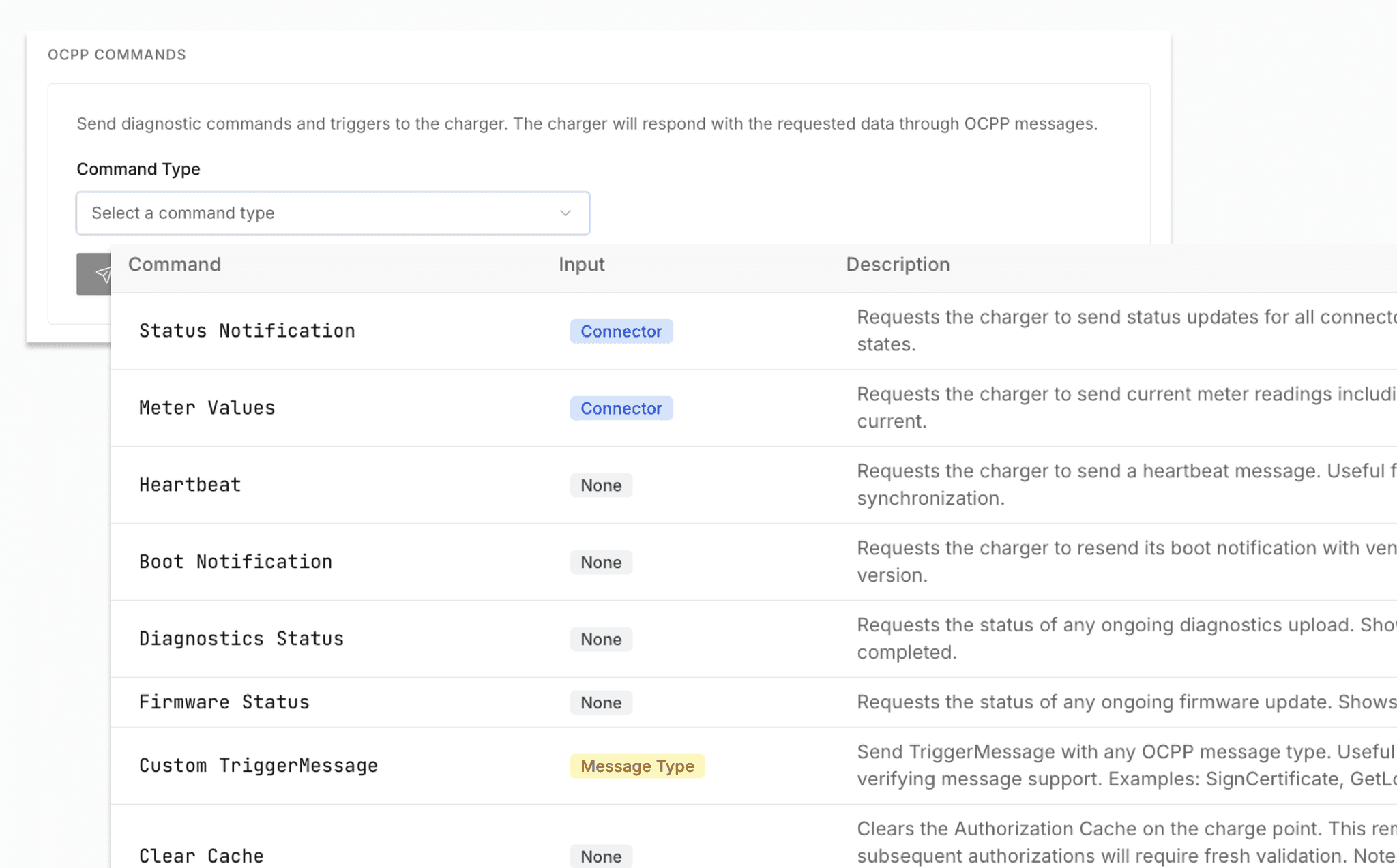
NEW: OCPP Diagnostic Command UI
Send individual OCPP commands to a specific charger directly from the Voltra dashboard. Reset, unlock connector, change configuration, trigger diagnostics uploads — all without touching a terminal or writing a script.
Built for support teams and operators who need to act fast. When a charger is stuck or misconfigured, you can intervene in seconds instead of remoting into a gateway or waiting for a field visit. Every command is logged with a timestamp and result, so you have a full audit trail.